
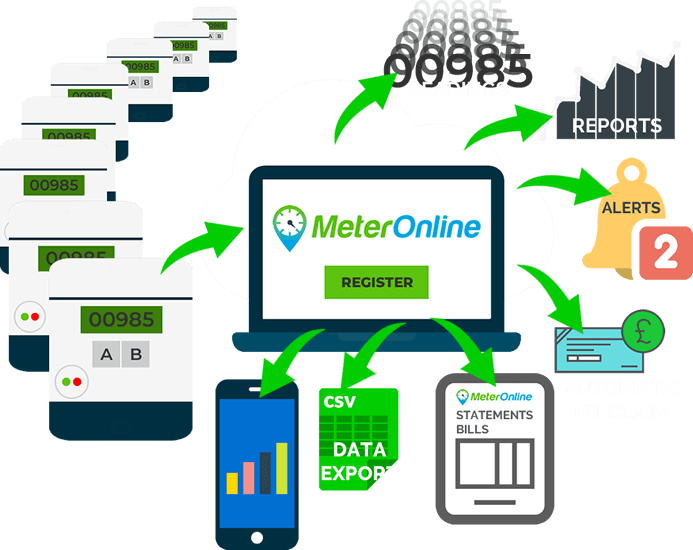
Alert!
Here is a basic feature that has been on MeterOnline for a long time, but we often hear of customers only switching on after discovering they have lost meter reads due to a fault on site and had not noticed it for quite some time.
So, how do you know when there is a fault, e.g. with a Solar PV system, or a supply is switched off?
Use Groups & Alerts to be automatically alerted by email…
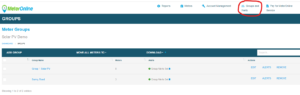
There will already be one group in any account, called Group 1 by default. It can be renamed by clicking EDIT.
Click ALERTS to set up an alert. The simplest setup is as follows…
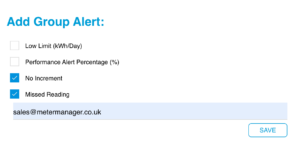
- Low Limit: Deactivated – Sends an alert if the meter reading increment is below a specified value (Low Limit = 0 is No Increment).
- Performance Alert: Deactivated – This alert will not function unless the Expected Performance parameters have been entered (this is dealt with in a separate article).
- No Increment: Active – Sends an alert if there is no increase in the meter reading since the last read (e.g., would alert for no generation from a Solar PV system if the inverter has failed).
- Missed Reading: Active – If no automatic meter reading is taken when expected, an alert is sent (e.g. because the power is switched off to the meter and equipment on site).
- Email Address: This is the destination for the alerts. Up to three email addresses can be entered separated by a semicolon ; no spaces needed.
Each group can have its own Alerts settings. For example, if there were a mix of Export meters and Generation meters, each type could have appropriate settings.
Every time a meter is automatically read, alerts are sent if need be. For a meter read every day, this would potentially be every day, on meters read less often, e.g. weekly, this would potentially be once every week.
Look out for more blog posts coming soon. If you have any queries – get in touch.